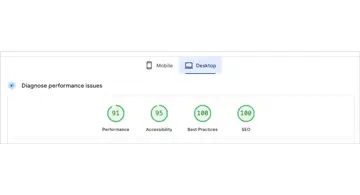
Overview
It's time for our usual website bonsai session! Today, once again, let's take care of my website, something that absolutely nobody asked for, but I enjoy all by myself. That's what website bonsai is all about.
Here's the previous release note↓
HTTP/2 Is Now Supported!
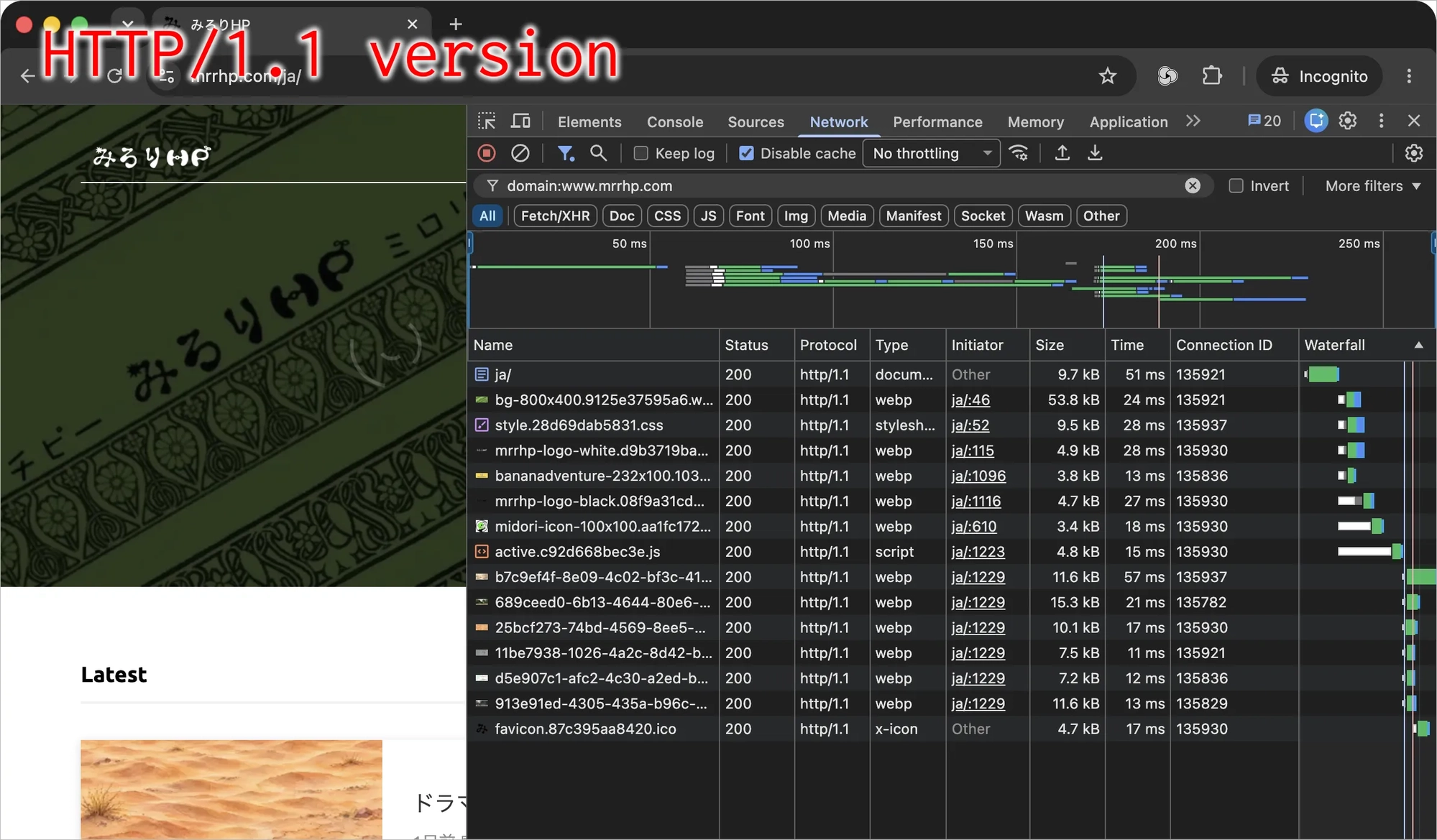
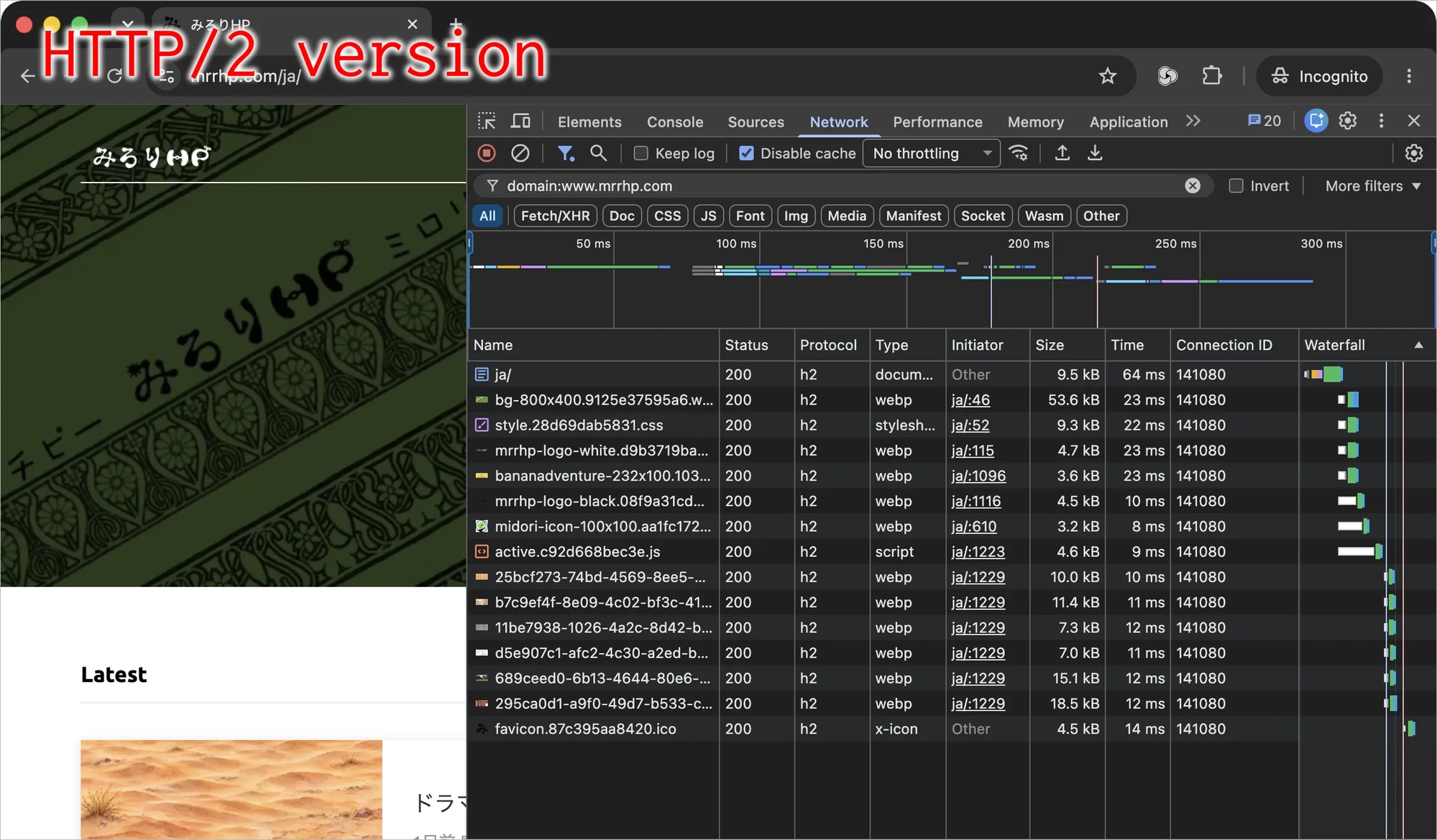
Look! If you compare the Network tabs from before (HTTP/1.1) and after (HTTP/2), you can see that the number of connections has become much more efficient!!
Yeah, you have no idea what that means, right? Neither do I, so let's do some research and figure it out.
Let's Understand HTTP/2: Q&A
Here's a quick summary. Please refrain from saying, "Sorry if this is a stupid question, but..." Thank you very much.
- What the heck is HTTP? : It's a system where Chrome sends requests and a server sends back responses.
- What's 1.1? : Within a connection between Chrome and a server, requests and responses are exchanged one at a time. When there are lots of requests and responses, Chrome opens multiple connections to get things at the same time. Sounds like a lot of work.
- What's 2? : A single connection between Chrome and a server can handle multiple requests and responses. Rather than simply packing everything tightly together, it breaks things into smaller pieces and sends back responses as soon as they're ready. If a human had to do that, the switching costs would be a nightmare, but good old Chrome can handle it just fine.
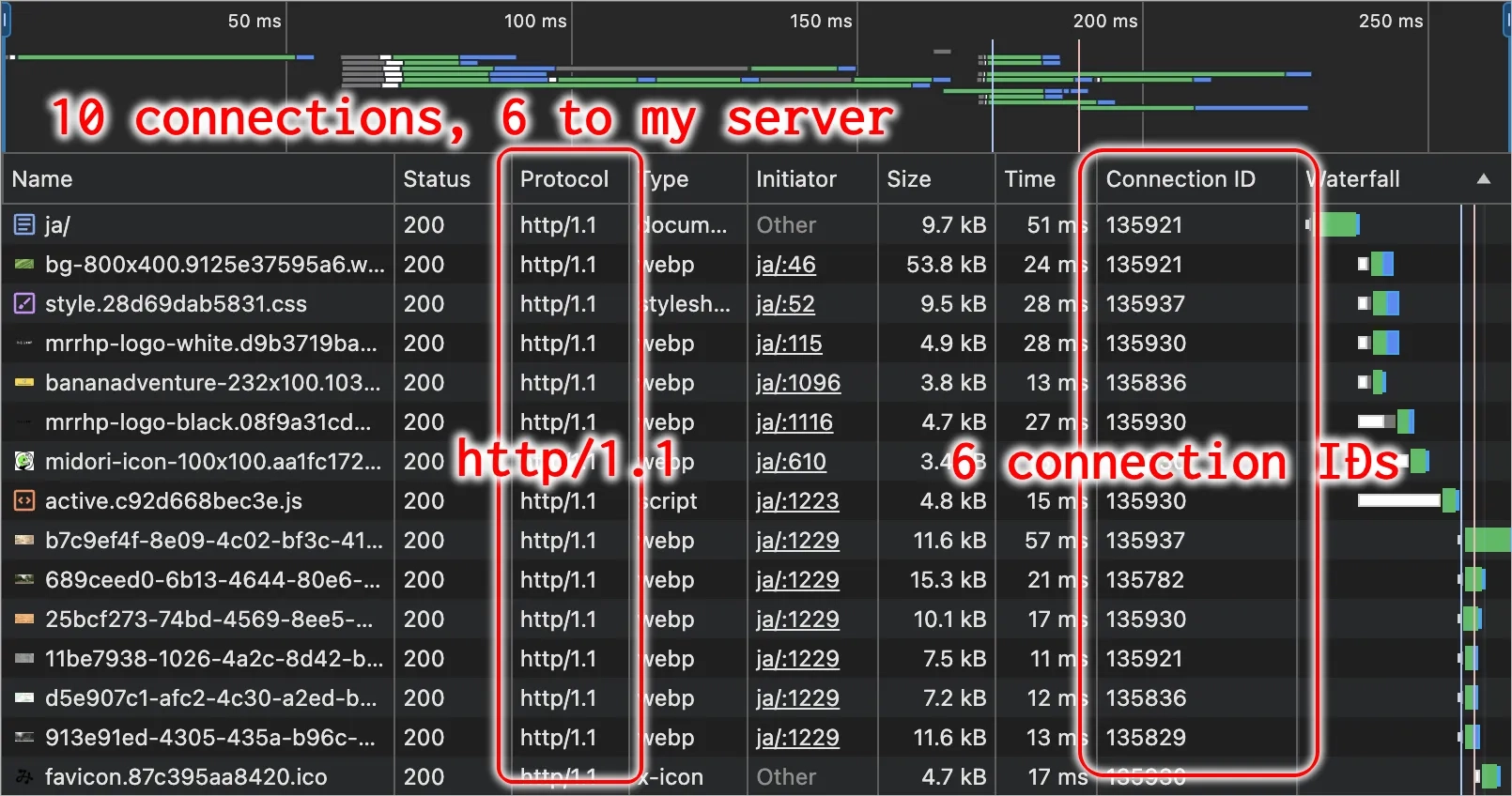
You can see this change in these parts of the screenshots↓
- Before (HTTP/1.1)
- The diagram has 10 rows, meaning a total of 10 connections were created to display the Mirori-HP homepage.
- There are six different Connection IDs for the Mirori-HP server, so six of those 10 connections are for Mirori-HP. (The other four are for external services. Mirori-HP uses a few of those too.)
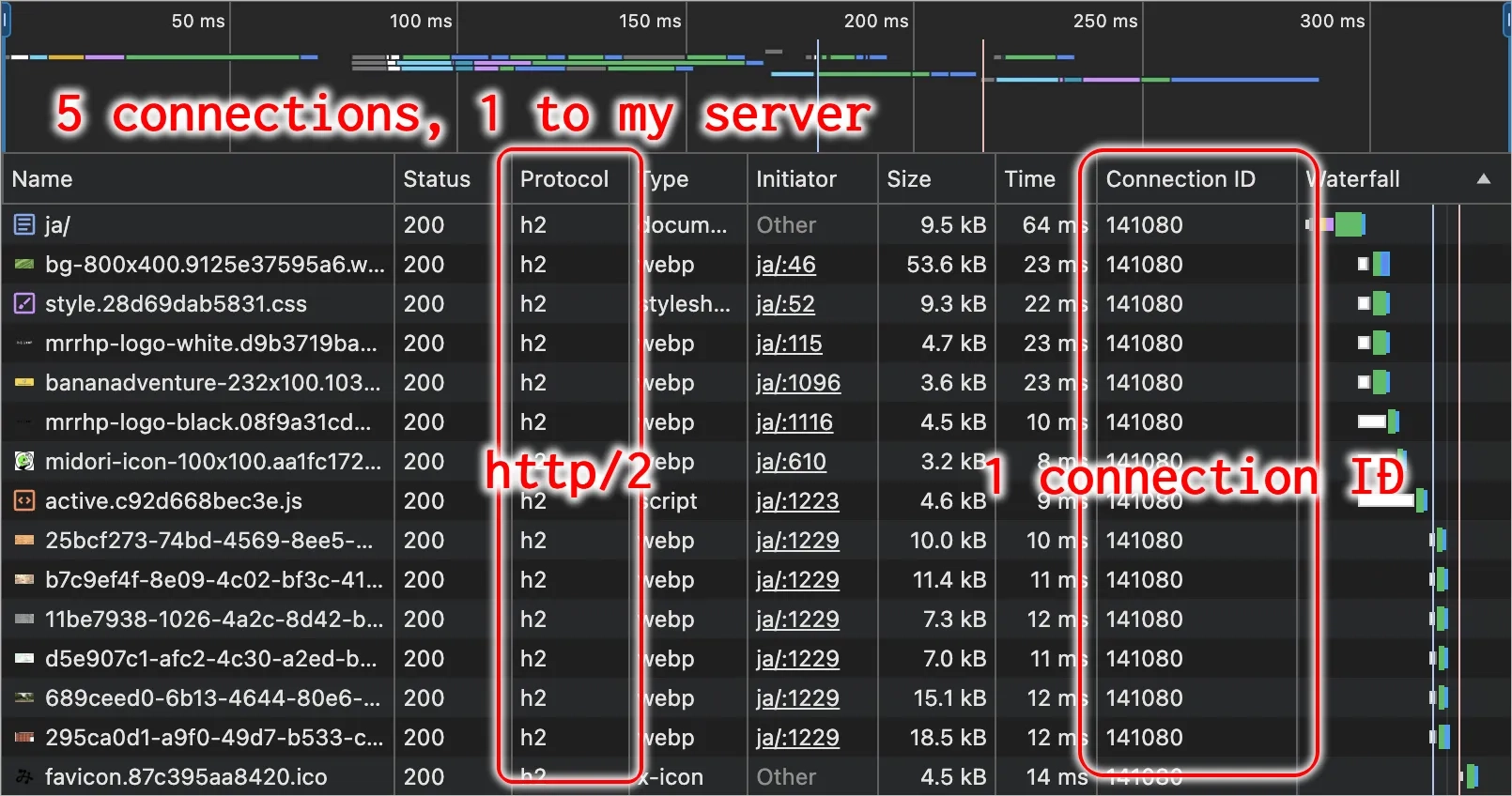
- After (HTTP/2)
- There's only one Connection ID for the Mirori-HP server. Super efficient.
- The diagram now has five rows, and somehow it's gotten colorful. This shows that the requests and responses previously spread across six connections to Mirori-HP have been combined into a single connection.
Pretty smart!
- What's so great about having fewer connections? : Beats me! It's more efficient or something, right!? (I lost interest before getting that far.)
- But if you switch to HTTP/2, won't people using the old HTTP/1.1 lose access? : Actually, enabling HTTP/2 just means changing the configuration of the nginx server application like this↓. As you can see, we're simply adding HTTP/2 support, so the default HTTP/1.1 still works.
# Change this
listen 443 ssl;

# To this
listen 443 ssl http2;
- I don't trust Midori-san's explanation. Got any official documentation? : https://developer.mozilla.org/ja/docs/Glossary/HTTP_2
That's All!
Ahhh, trimming my little website bonsai is so much fun!